

What is Deduplication?
Deduplication is the process of ensuring that only one copy of an event or record is kept in a data pipeline. In streaming systems, duplicates occur due to retries, network errors, or producer-side issues. Without deduplication, downstream applications receive inaccurate metrics, inflated counts, and inconsistent data.
GlassFlow provides a built-in deduplication feature that eliminates redundant events in real time. By specifying a unique key (such as event_id) and a time window, GlassFlow guarantees that only the first occurrence of each event is preserved.
Why Deduplication Matters
- Accurate Analytics – Prevents duplicate clicks, orders, or transactions from skewing metrics.
- Reduced Costs – Avoids unnecessary storage of duplicate records.
- Trustworthy Data – Ensures dashboards, ML models, and reports reflect reality.
- Operational Simplicity – Removes the need for custom deduplication code in Spark, Flink, or SQL.
What Makes GlassFlow Stand Out
- Other stream processing frameworks provide deduplication, but usually at the cost of additional code and operational overhead. GlassFlow differentiates itself in three ways:
- Scalability and Flexibility – Supports configurable windows up to seven days and runs efficiently on large, real-time event streams.
- No-Code Setup – Deduplication can be configured entirely through the Web UI.
- Declarative Configuration – You define the key and window; GlassFlow handles state tracking internally.
Alternative Methods in GlassFlow
GlassFlow also allows deduplication using other methods, such as:
- Python SDK – Define and deploy pipelines programmatically.
For this tutorial, however, I am focusing on the Web UI method. It provides a clear, step-by-step approach suitable for both beginners and professionals looking to quickly implement deduplication.
Before You Start
This tutorial assumes that GlassFlow is already set up and connected to your environment. If you missed my earlier blog on setting up GlassFlow, you can read it here:
Getting Started
Access the Web Interface
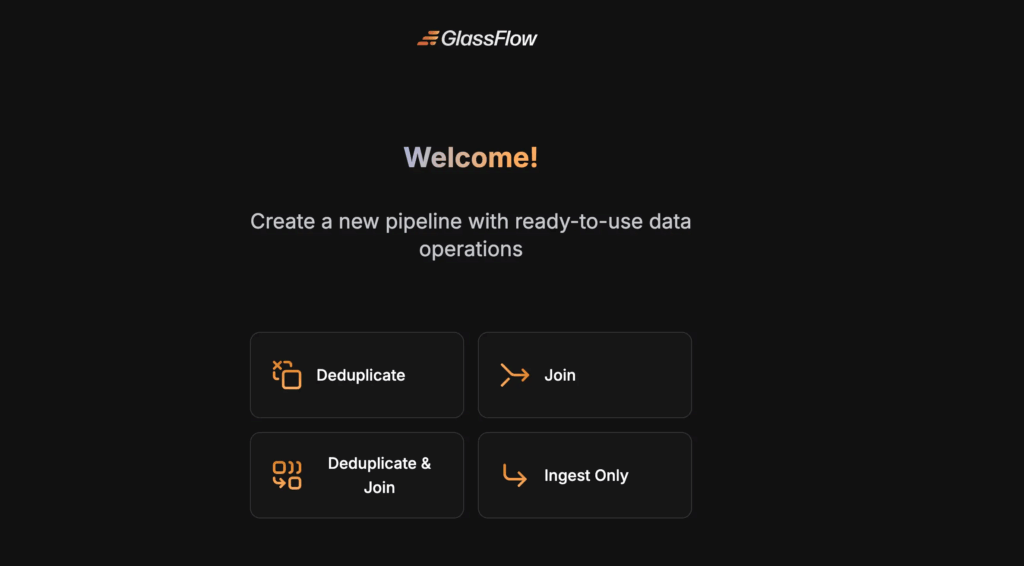
The GlassFlow web interface is available at http://localhost:8080 by default. Then, Select the Deduplicate option.
Creating a Deduplication Pipeline
Here’s how to set up a deduplication pipeline using the Web UI with a local Kafka and ClickHouse setup.
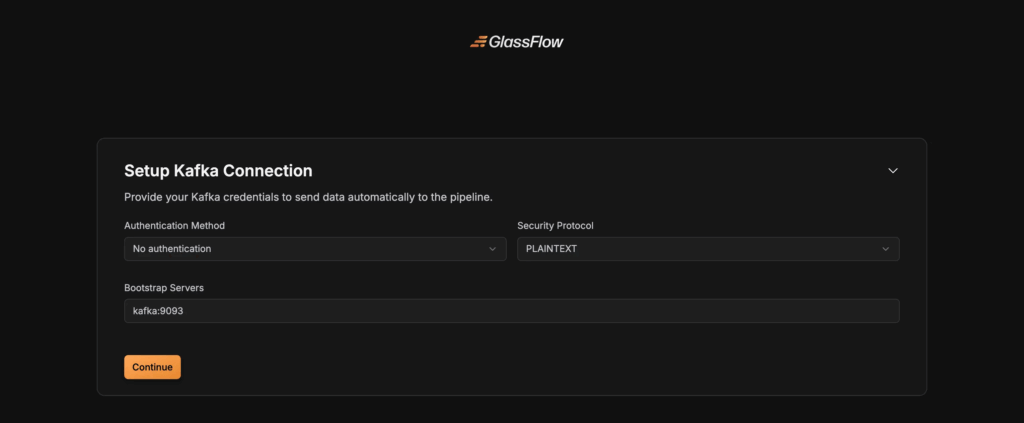
Step 1: Connect to Kafka
- Enter your Kafka broker address (e.g.,
localhost:9092). - Select the protocol: PLAINTEXT (local testing), SASL_SSL or SSL (production).
- Provide username, password, and authentication mechanism if required.
Step 2 : Create a Kafka topic
Kafka topic can be created by the following code
kafka-topics --create \
  --bootstrap-server localhost:9092 \
  --replication-factor 1 \
  --partitions 3 \
  --topic user_events
This creates a topic named user_events with 3 partitions.
Then run a producer CLI to write data:
kafka-console-producer \
  --broker-list localhost:9092 \
  --topic user_events
Now, the console will wait for input. Type:
{ "event_id": 1, "user_id": "A", "action": "click" }
{ "event_id": 1, "user_id": "A", "action": "click" }
{ "event_id": 2, "user_id": "B", "action": "scroll" }
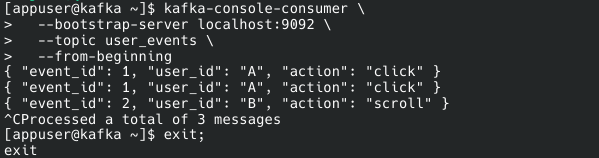
We can use the following code to check, whether the data is consumed by the Kafka topic or not.
kafka-console-consumer \
  --bootstrap-server localhost:9092 \
  --topic user_events \
  --from-beginning
The result would look like this:
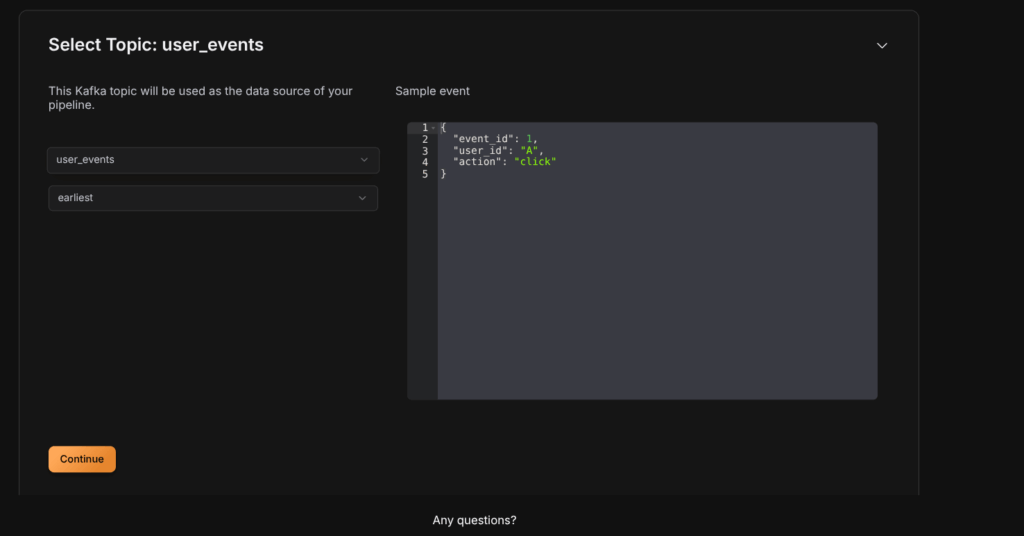
Step 3: Select Topic
- Pick the Kafka topic you want to process.
- Choose the initial offset:
earliestto start from the beginning,latestto read new messages only. - The schema is automatically detected by GlassFlow.
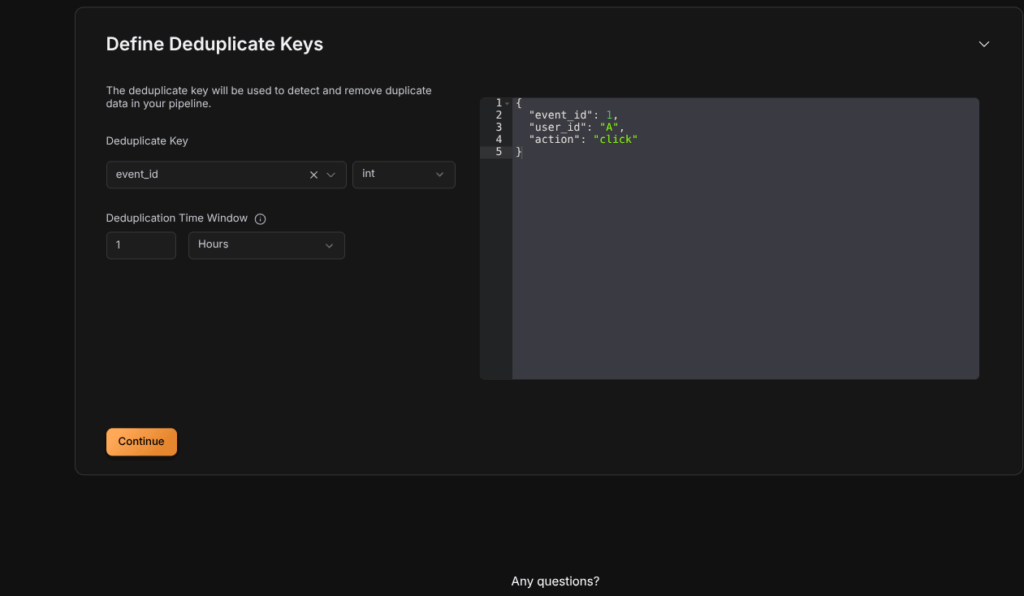
Step 4: Configure Deduplication
- Select the Deduplicate Key that uniquely identifies each record (
event_id,user_id, ortransaction_id). The Deduplicate key is used by the Glassflow to detect the duplicates in our data. - Set the time window (e.g.,
30s,1m,1h,24h).- GlassFlow keeps only the first event with a given ID within this window and drops duplicates.
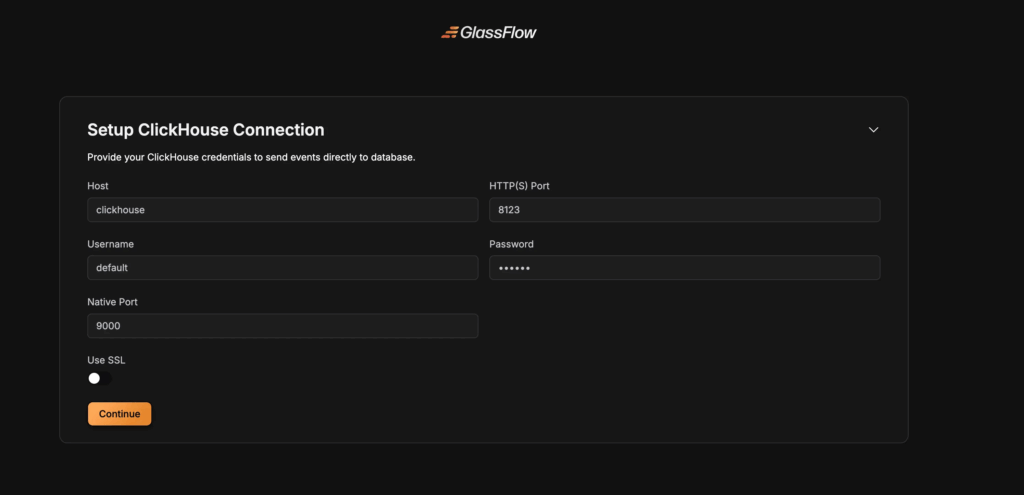
Step 5: Setup ClickHouse Connection
Configure the connection to your ClickHouse database:
Connection Parameters
- Host: Enter your ClickHouse server address
- Port: Specify the ClickHouse port (default:
8123for HTTP,8443for HTTPS) - Username: Your ClickHouse username
- Password: Your ClickHouse password
- Database: Select the target database
- Secure Connection: Enable for TLS/SSL connections
Step 6: Create a Table in ClickHouse
After establishment of ClickHouse Connection, We need to create a table to store the data. The table can be created by the following code.
CREATE TABLE users (
    id UInt64,
    user_id String,
    action String
)
ENGINE = MergeTree
ORDER By id;
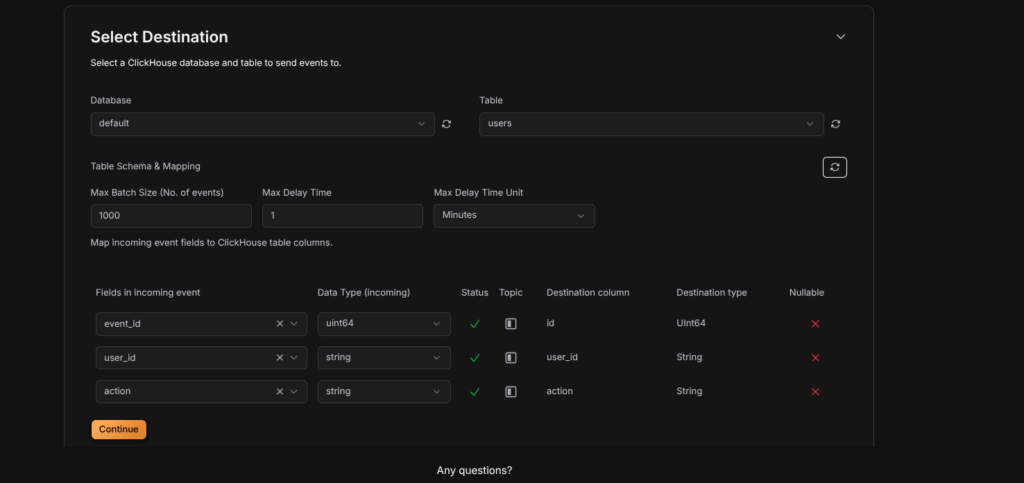
Step 7: Select Destination
Configure the destination table and field mappings:
Table Configuration
- Table: Select an existing table or create a new one
- Table Name: Enter the name for your destination table
Field Mapping
Map source fields to ClickHouse columns:
- Source Field: The field from your Kafka topic
- Column Name: The corresponding ClickHouse column name
- Column Type: Select the ClickHouse data type:
String– For text dataInt8,Int16,Int32,Int64– For integersFloat32,Float64– For floating-point numbersDateTime– For timestamp dataBoolean– For boolean values
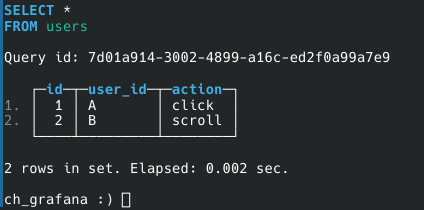
After the above step, The Pipeline will be deployed, Then query from the table, the output would look like this.
Conclusion
Deduplication is essential for reliable streaming data pipelines. GlassFlow allows you to implement it efficiently, either via the Web UI, Python SDK, or JSON/YAML configurations.
In this tutorial, we demonstrated the Web UI method, which is ideal for quickly setting up pipelines without writing any code. By configuring a key field and time window, GlassFlow automatically filters duplicates, delivering clean and accurate data to downstream systems like ClickHouse.
Thinking Ahead with ClickHouse
Getting started with GlassFlow locally is a great first step. But when you move toward real-world use cases, you’ll likely want to connect GlassFlow with databases like ClickHouse. Running ClickHouse at scale involves more than just installation – it requires planning for deployment, handling migrations, and ensuring reliable performance in production.
If your team prefers not to manage these complexities in-house, Quantrail Data offers managed ClickHouse services, migration assistance, and dedicated support to simplify operations and let teams stay focused on analytics instead of infrastructure.