Designing Multi-Tenant Architectures with ClickHouse®
Introduction
As Software-as-a-Service (SaaS) applications continue to grow, supporting multiple customers efficiently becomes a key architectural challenge. Whether you're building an analytics platform, an observability solution, or a customer-facing dashboard, each tenant expects their data to remain secure, isolated, and always available without requiring a dedicated infrastructure for every customer.
This is where multi-tenant architecture comes into play. By allowing multiple tenants to share the same ClickHouse® deployment while keeping their data logically separated, organizations can significantly reduce infrastructure costs, simplify operations, and scale their platforms more effectively.
However, designing a successful multi-tenant system isn't just about sharing resources. It requires careful decisions around data organization, tenant isolation, access control, query performance, and scalability.
In this article, we'll explore the different multi-tenant design patterns available in ClickHouse, compare their advantages and trade-offs, and discuss best practices for building secure, scalable, and high-performance multi-tenant analytics platforms.
What is Multi-Tenancy?
A tenant is an individual customer, organization, or department that uses your application.
For example, consider a SaaS analytics platform where three companies use the same application.
             SaaS Analytics Platform

        Company A    Company B    Company C
              │          │            │
              └──────────┼────────────┘
                         │
                  ClickHouse Cluster
Although all three companies use the same ClickHouse deployment, each company should only be able to access its own data.
Why Use Multi-Tenant Architecture?
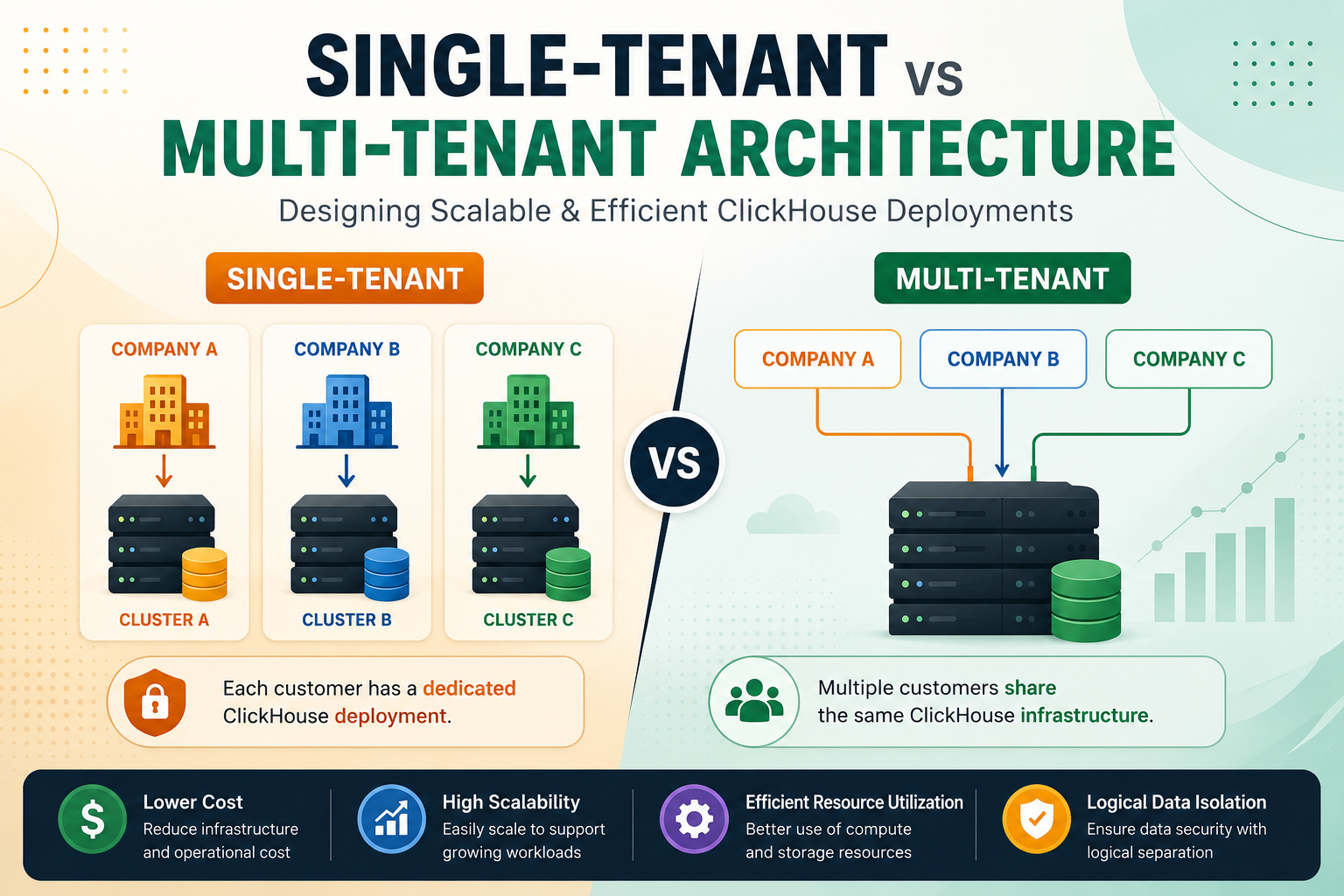
Organizations choose multi-tenant architectures because they allow multiple customers to share the same infrastructure while keeping their data logically isolated. Instead of deploying a dedicated ClickHouse cluster for every customer, multiple tenants can efficiently share resources, reducing operational complexity and infrastructure costs.
Key benefits include:
- Lower infrastructure costs
- Better hardware utilization
- Easier maintenance and upgrades
- Faster onboarding of new customers
- Simplified scaling
Single-Tenant vs Multi-Tenant Architecture
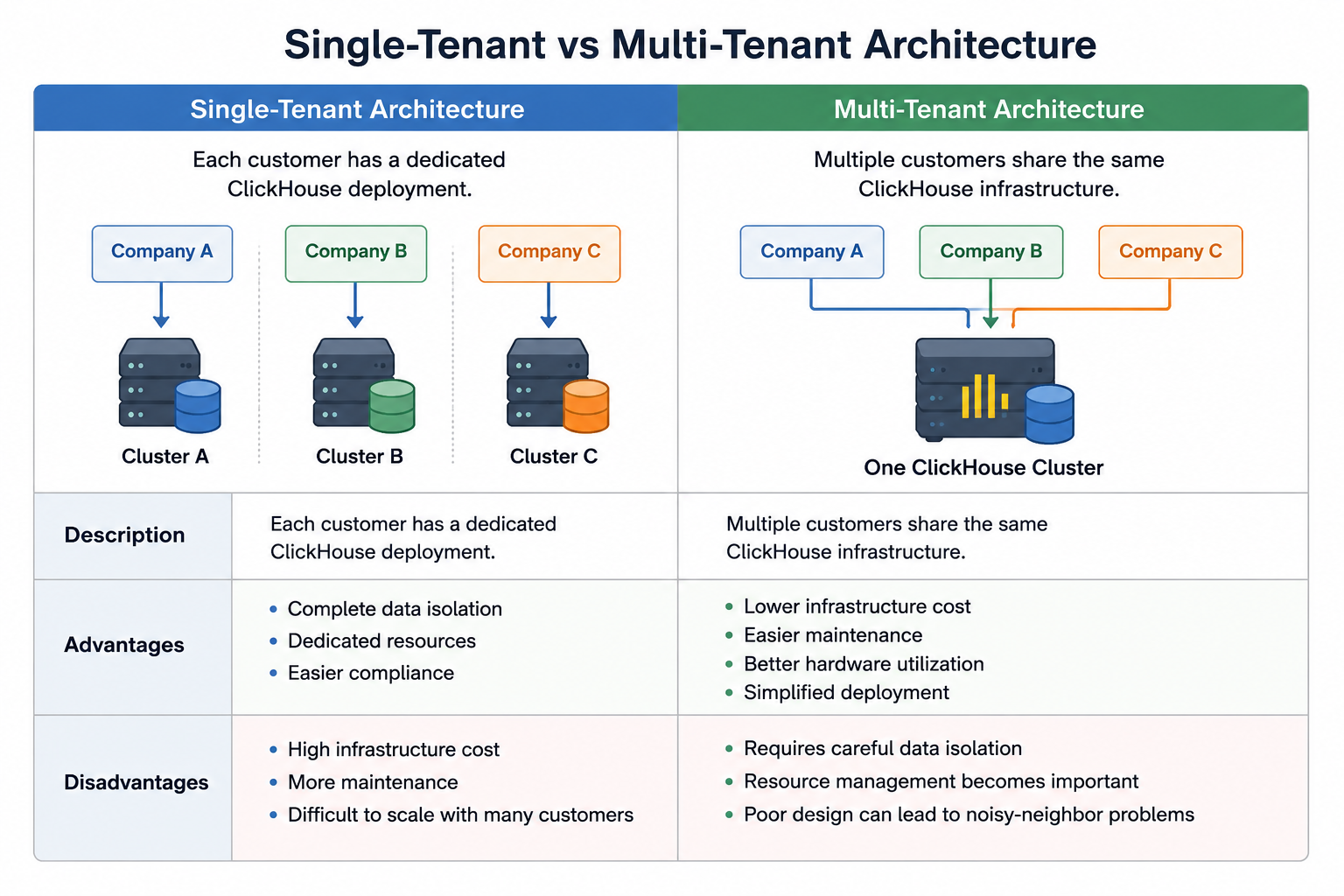
| Feature | Single-Tenant | Multi-Tenant |
|---|---|---|
| Infrastructure | Dedicated cluster per customer | Shared ClickHouse cluster |
| Cost | High | Lower |
| Data Isolation | Excellent | Logical isolation |
| Resource Sharing | No | Yes |
| Scalability | Difficult with many tenants | Highly scalable |
| Maintenance | More effort | Easier |
| Best For | Enterprise & regulated industries | SaaS platforms |
Multi-Tenant Design Patterns
There isn't a single multi-tenant architecture that works for every application. The right approach depends on factors such as the number of tenants, isolation requirements, scalability goals, and operational complexity. ClickHouse supports several design patterns, each with its own advantages and trade-offs.
Pattern 1: Shared Table with Tenant ID
This is the most common architecture for SaaS applications.
All tenant data is stored in a single table, and every row includes a tenant identifier.
CREATE TABLE events
(
    tenant_id UInt32,
    event_time DateTime,
    user_id UInt64,
    page String,
    event String
)
ENGINE = MergeTree
ORDER BY (tenant_id, event_time);
Example data:
| tenant_id | page | event |
|---|---|---|
| 1 | Home | View |
| 1 | Cart | Purchase |
| 2 | Dashboard | Login |
| 3 | Products | Search |
A tenant retrieves only its own records.
SELECT *
FROM events
WHERE tenant_id = 2;
Advantages
- Simple schema management
- Excellent scalability
- Easy to onboard new tenants
- Lower storage overhead
Best Use Cases
- Hundreds or thousands of tenants
- Similar data structures across tenants
- SaaS analytics platforms
Pattern 2: Separate Tables per Tenant
Each tenant gets its own table.
company_a_events

company_b_events

company_c_events
Advantages
- Better isolation
- Independent schema changes
- Easier tenant-level maintenance
Disadvantages
- Large number of tables
- More operational overhead
- Harder to manage thousands of tenants
Best Use Cases
- Small number of enterprise customers
- Tenants with different schemas
Pattern 3: Separate Databases per Tenant
Each tenant owns a dedicated database.
analytics_company_a

analytics_company_b

analytics_company_c
Advantages
- Better organization
- Easier backup and restoration
- Stronger separation than shared tables
Disadvantages
- More metadata management
- Increased administrative effort
Best Use Cases
- Medium-sized SaaS platforms
- Customers requiring logical isolation
Pattern 4: Separate Clusters per Tenant
Each tenant receives an independent ClickHouse cluster.
Company A
      │
Cluster A

Company B
      │
Cluster B
Advantages
- Maximum isolation
- Dedicated performance
- Meets strict compliance requirements
Disadvantages
- Highest infrastructure cost
- Operationally complex
- Lower resource utilization
Best Use Cases
- Large enterprise customers
- Regulated industries
- Premium service tiers
| Pattern | Isolation | Cost | Scalability | Best Use Case |
|---|---|---|---|---|
| Shared Table | Medium | Low | Excellent | SaaS applications |
| Separate Tables | High | Medium | Moderate | Small deployments |
| Separate Databases | Higher | High | Good | Enterprise customers |
| Separate Clusters | Complete | Very High | Moderate | Compliance-heavy industries |
Choosing the Right Architecture
| Requirement | Recommended Pattern |
|---|---|
| Thousands of tenants | Shared table |
| Hundreds of tenants | Shared table or separate databases |
| Different schemas | Separate tables |
| Regulatory compliance | Separate databases or clusters |
| Enterprise customers | Separate clusters |
Designing Tables for Multi-Tenancy
When using shared tables, include the tenant identifier in the sorting key whenever it aligns with your query patterns.
CREATE TABLE events
(
    tenant_id UInt32,
    event_time DateTime,
    page String,
    user_id UInt64
)
ENGINE = MergeTree
ORDER BY (tenant_id, event_time);
Since ClickHouse stores data according to the sorting key, placing tenant_id first groups rows belonging to the same tenant together. When queries filter by tenant_id, ClickHouse scans fewer data granules, reducing disk I/O and improving query performance.
Data Isolation
One of the most important requirements in a multi-tenant system is ensuring tenants cannot access each other's data.
For example:
SELECT *
FROM events
WHERE tenant_id = 25;
Every application query should filter by the appropriate tenant_id.
For stronger security, combine application-level filtering with ClickHouse's Role-Based Access Control (RBAC), users, and permissions to limit access based on tenant-specific credentials.
Real-World Example
Imagine you're building a SaaS analytics platform where multiple companies use the same application.
| tenant_id | Company | Page | Event |
|---|---|---|---|
| 1 | Company A | Home | View |
| 2 | Company B | Login | Sign In |
| 3 | Company C | Products | Search |
When Company A logs in:
SELECT *
FROM events
WHERE tenant_id = 1;
Only Company A's data is returned, ensuring secure data isolation while sharing the same ClickHouse table.
Managing Performance
As the number of tenants grows, some customers may generate significantly more queries than others. Without proper controls, a heavy workload from one tenant can affect overall performance.
To minimize this:
- Configure user quotas to limit resource consumption.
- Create user profiles with appropriate memory and execution limits.
- Design efficient primary keys and sorting keys.
- Avoid full table scans by filtering on
tenant_id. - Use materialized views for frequently queried aggregations.
These practices help maintain consistent performance across tenants.
Scaling Multi-Tenant Deployments
As data volume increases, ClickHouse can scale horizontally using sharding and replication.
             ClickHouse Cluster

        ┌────────────┬────────────┐
        │            │            │
     Shard 1      Shard 2      Shard 3
        │            │            │
     Replicas     Replicas     Replicas
Benefits include:
- Distributing tenant data across shards.
- Handling larger datasets efficiently.
- Improving query throughput.
- Increasing availability with replication.
Using Materialized Views
Many SaaS applications repeatedly query aggregated metrics such as daily active users or page views.
Materialized views can precompute these results to reduce query latency.
Example use cases:
- Daily active users per tenant.
- Monthly sales summaries.
- Hourly event counts.
- Dashboard metrics.
This reduces CPU usage and speeds up dashboard queries.
Monitoring Multi-Tenant Workloads
Regular monitoring helps identify resource-intensive tenants and maintain system health.
| System Table | Purpose |
|---|---|
system.query_log | Analyze slow tenant queries |
system.parts | Monitor storage usage |
system.merges | Track merge operations |
system.metrics | View server metrics |
system.replication_queue | Monitor replication status |
Key metrics to monitor include:
- Query latency
- Memory usage
- CPU utilization
- Disk usage
- Merge activity
- Replication lag
Common Challenges
Noisy Neighbor Problem
A single tenant running expensive queries can impact others.
Solution: Use quotas, user profiles, and efficient query design.
Large Numbers of Small Tables
Creating a table for every tenant can increase metadata overhead.
Solution: Use shared tables unless strong isolation is required.
Data Isolation
Incorrect filtering can expose another tenant's data.
Solution: Enforce tenant filtering in the application and configure RBAC policies.
Uneven Data Distribution
Some tenants may generate much more data than others.
Solution: Design sharding strategies that distribute data evenly and monitor storage usage.
Common Mistakes to Avoid
- Creating a separate table for every tenant without considering scalability.
- Forgetting to filter queries using
tenant_id. - Partitioning data by
tenant_idwhen supporting thousands of tenants. - Not configuring RBAC or quotas.
- Ignoring tenant workload monitoring.
Best Practices
- Choose a shared-table design for most SaaS applications.
- Include
tenant_idin the sorting key when tenant-based filtering is common. - Use RBAC to strengthen access control.
- Apply quotas and user profiles to prevent resource abuse.
- Monitor tenant workloads regularly.
- Use materialized views for frequently accessed aggregations.
- Scale with sharding and replication as data grows.
- Regularly review storage and query performance.
When Should You Use a Multi-Tenant Architecture?
A multi-tenant architecture is a good choice when:
- Building SaaS analytics platforms.
- Developing observability or monitoring solutions.
- Supporting hundreds or thousands of customers.
- Reducing infrastructure and operational costs.
- Managing customer data with a single ClickHouse deployment.
- Scaling analytical workloads without creating separate clusters for every customer.
If customers require strict regulatory compliance, dedicated performance guarantees, or complete physical isolation, separate databases or dedicated clusters may be more appropriate.
Conclusion
Designing a multi-tenant architecture in ClickHouse requires balancing scalability, security, performance, and operational simplicity. For most SaaS applications, a shared-table design with a tenant_id provides the best combination of efficiency and scalability. As customer requirements become more demanding, separate databases or dedicated clusters can offer stronger isolation at the cost of additional infrastructure and management.
By combining efficient table design, RBAC, quotas, materialized views, and ClickHouse's distributed architecture, you can build a secure and high-performance platform capable of serving hundreds or even thousands of tenants from a single deployment.
References
-
ClickHouse Documentation – Multi-Tenancy Best Practices
https://clickhouse.com/docs/cloud/bestpractices/multi-tenancy -
ClickHouse Documentation – MergeTree Table Engine
https://clickhouse.com/docs/engines/table-engines/mergetree-family/mergetree -
ClickHouse Documentation – Access Control (Users, Roles & RBAC)
https://clickhouse.com/docs/operations/access-rights