

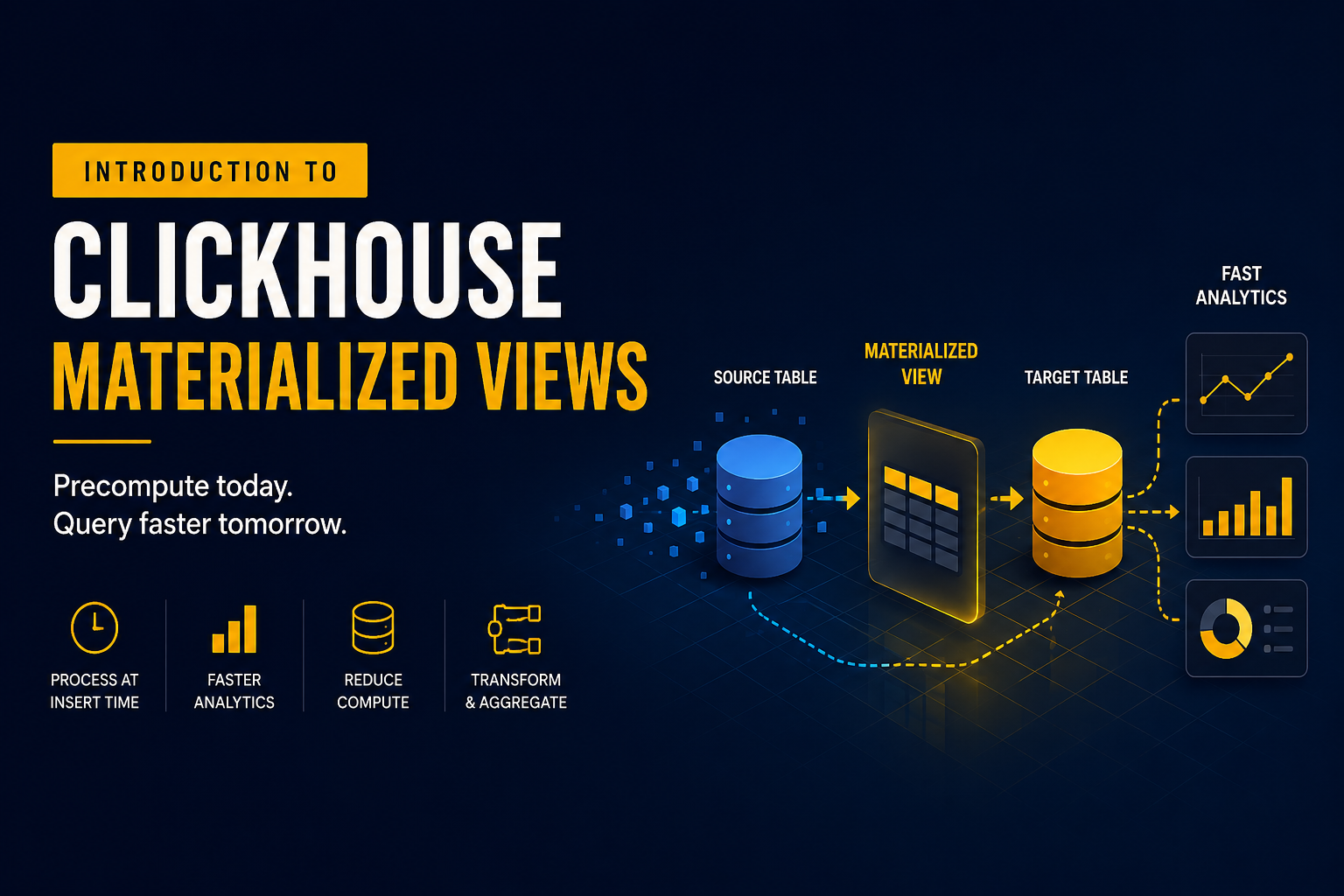
Materialized Views are one of the most useful features in ClickHouse® for improving query performance and reducing computational overhead. Instead of calculating aggregations repeatedly during query execution, a Materialized View processes incoming data once and stores the transformed results in a separate table.
This approach shifts computation from query time to insert time, making analytical queries significantly faster.
Understanding how Materialized Views work is essential for anyone building reporting systems, dashboards, monitoring platforms, or large-scale analytics workloads on ClickHouse®.
What is a Materialized View?
A Materialized View in ClickHouse® is an object that automatically executes a query whenever new data is inserted into a source table.
Unlike a standard view, which simply stores a query definition and executes it every time it is queried, a Materialized View stores the query results physically in a target table.
The workflow is straightforward:
- Data is inserted into the source table.
- The Materialized View is triggered automatically.
- The defined query processes the newly inserted rows.
- The results are written into a target table.
As a result, expensive transformations and aggregations are performed only once during ingestion rather than repeatedly during analysis.
Why Use Materialized Views?
Without a Materialized View, analytical queries often scan large datasets and perform aggregations repeatedly.
Consider an events table containing billions of rows:
SELECT
    toDate(event_time) AS day,
    count(*) AS events
FROM events
GROUP BY day;
Every execution requires ClickHouse® to read data and compute the aggregation.
As data volume grows, query latency increases.
A Materialized View allows these aggregations to be computed during data ingestion instead:
SELECT
    toDate(event_time) AS day,
    count() AS events
The aggregated results are stored in a separate table, allowing queries to read precomputed values rather than processing raw data.
This significantly reduces query execution time.
Basic Architecture
A Materialized View typically consists of three components:
Source Table
Receives incoming data.
CREATE TABLE test.events
(
    event_time DateTime,
    user_id UInt64
)
ENGINE = MergeTree
ORDER BY event_time;
Target Table
Stores transformed or aggregated results.
CREATE TABLE test.daily_events
(
    day Date,
    events UInt64
)
ENGINE = SummingMergeTree
ORDER BY day;
Materialized View
Connects the source table to the target table.
CREATE MATERIALIZED VIEW test.mv_daily_events
TO test.daily_events
AS
SELECT
    toDate(event_time) AS day,
    count() AS events
FROM test.events
GROUP BY day;
When data is inserted into events, the Materialized View automatically writes aggregated records into daily_events.
How Materialized Views Work Internally
A common misconception is that a Materialized View processes the entire source table whenever data changes.
This is incorrect.
Materialized Views operate only on newly inserted data blocks.
For example:
INSERT INTO test.events VALUES
('2025-01-01 10:00:00', 1),
('2025-01-01 10:01:00', 2);
The Materialized View processes only these inserted rows.
It does not rescan historical data stored in the source table.
This design makes Materialized Views highly efficient even when source tables contain billions of records.
Populate Option
When a Materialized View is created, existing rows in the source table are not processed automatically.
Consider the following scenario:
CREATE TABLE test.events (...);One billion records already exist in the table.
Creating a Materialized View:
CREATE MATERIALIZED VIEW test.mv_daily_events
TO test.daily_events
AS
SELECT ...
will only process future inserts.
Historical data remains absent from the target table.
The POPULATE option can be used during creation:
CREATE MATERIALIZED VIEW test.mv_daily_events
POPULATE
TO test.daily_events
AS
SELECT ...
This loads existing data into the target table at creation time.
However, for large production tables, POPULATE is generally avoided because:
- It can take a long time.
- It may consume significant resources.
- New inserts occurring during population may be missed.
A safer approach is usually:
- Create the target table.
- Backfill historical data manually.
- Create the Materialized View for future inserts.
Aggregation Materialized Views
One of the most common use cases is pre-aggregation.
Example:
Raw data:
CREATE TABLE test.page_views
(
    timestamp DateTime,
    page String
)
ENGINE = MergeTree
ORDER BY timestamp;
Aggregated table:
CREATE TABLE test.page_views_daily
(
    day Date,
    views UInt64
)
ENGINE = SummingMergeTree
ORDER BY day;
Materialized View:
CREATE MATERIALIZED VIEW test.mv_page_views_daily
TO test.page_views_daily
AS
SELECT
    toDate(timestamp) AS day,
    count() AS views
FROM test.page_views
GROUP BY day;
Queries now read a small aggregated dataset instead of scanning the raw table.
Transformation Materialized Views
Materialized Views are not limited to aggregations.
They can also transform incoming data.
Example:
CREATE MATERIALIZED VIEW test.mv_users
TO test.users_clean
AS
SELECT
    lower(email) AS email,
    trim(name) AS name
FROM test.users_raw;
In this case, the Materialized View acts as an ingestion pipeline that cleans data before storage.
Choosing the Right Engine
The target table engine matters.
MergeTree
Stores transformed rows without aggregation.
ENGINE = MergeTreeSummingMergeTree
Automatically merges numeric values with the same primary key.
ENGINE = SummingMergeTreeAggregatingMergeTree
Stores aggregate states and supports advanced aggregations.
ENGINE = AggregatingMergeTreeThe correct engine depends on the workload and aggregation requirements.
Limitations and Considerations
Insert Performance
Materialized Views add processing during inserts.
More views mean more work during ingestion.
If a source table feeds multiple Materialized Views, insert throughput may decrease.
No Automatic Reprocessing
Materialized Views process only inserted data.
Updates to historical records do not automatically recalculate existing results.
Storage Overhead
Aggregated and transformed data is stored separately.
This increases storage usage.
The tradeoff is additional storage in exchange for faster queries.
Dependency Management
Dropping source or target tables without understanding dependencies can break Materialized Views.
Schema changes should be planned carefully.
When Should You Use Materialized Views?
Materialized Views are useful when:
- Aggregations are executed frequently.
- Dashboard queries require low latency.
- Data transformations occur repeatedly.
- Query performance is more important than insert speed.
- Large datasets are queried continuously.
They are less useful when:
- Data changes frequently after insertion.
- Workloads require real-time updates of historical records.
- Insert performance is the primary concern.
Conclusion
Materialized Views in ClickHouse® move computation from query time to insert time. Instead of repeatedly aggregating or transforming large datasets, the work is performed once when data arrives and the results are stored for future queries.
For analytical workloads, this can reduce query latency dramatically while lowering CPU consumption during reporting and dashboard operations.
The key concept is simple: process data once during ingestion, store the result, and avoid repeating the same computation every time a query runs.