

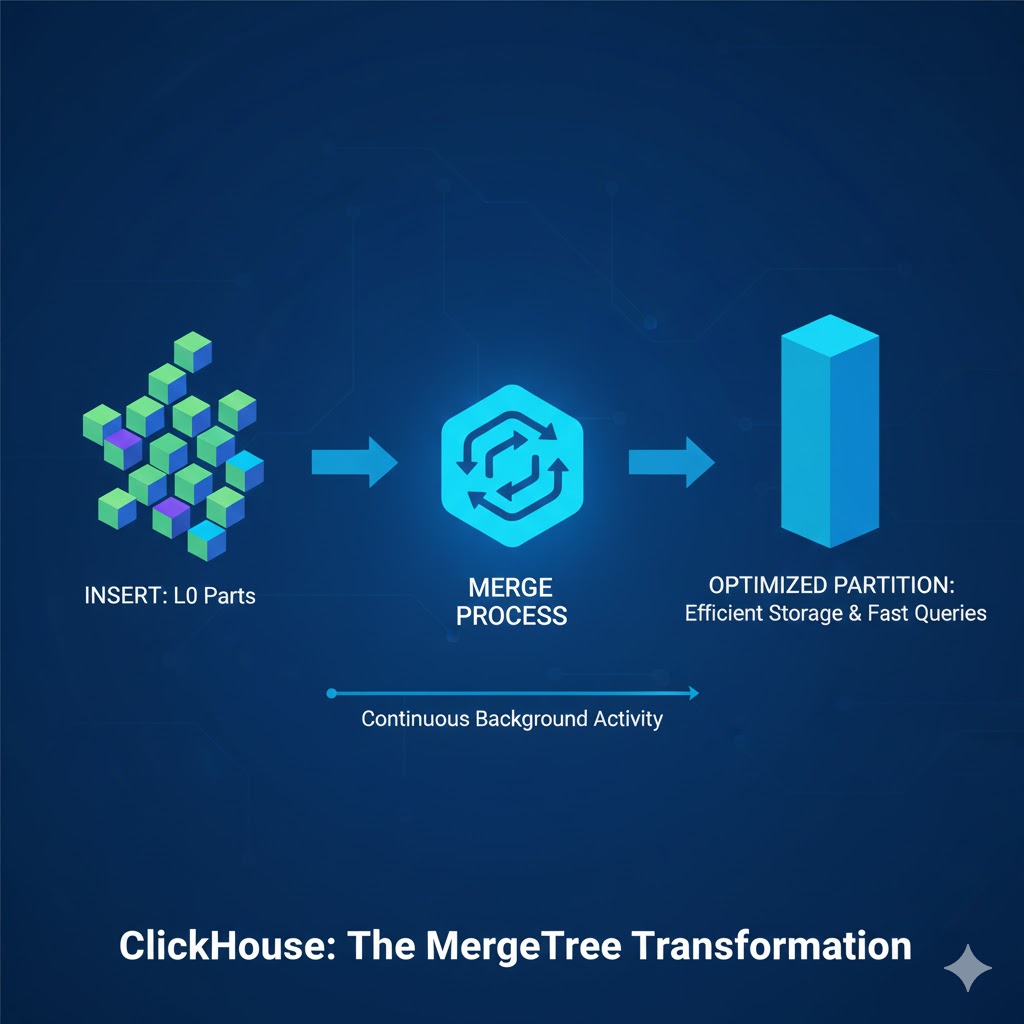
Understanding how ClickHouse® handles merges is one of the most important parts of working with MergeTree tables. While inserts feel instantaneous and queries run fast, the real magic happens quietly in the background – where ClickHouse® continuously merges data parts to keep storage efficient and queries blazing fast.
This post breaks down how merges work, why they matter, and what really happens internally when ClickHouse® reorganizes your data.
Why the Merges Matters
Every INSERT into a MergeTree table produces small, sorted data “parts” on disk. Over time, these parts accumulate. If they aren’t merged efficiently:
- Query performance drops
- Disk usage grows unnecessarily
- Merge backlogs slowly build up
- INSERT throughput becomes inconsistent
Behind the scenes, ClickHouse® uses a sophisticated merge engine to continuously combine smaller parts into bigger ones, remove duplicates (if needed), and rebuild indexes. Understanding this helps you tune ingestion, avoid bottlenecks, and diagnose performance issues quickly.
What Exactly Is a “Part” in ClickHouse®?
A part is a fully self-contained chunk of data stored on disk.
Each part includes:
- Column files
- Mark files
- Primary key index
- Checksums
- Metadata
Think of it as a sorted mini-table. Every INSERT creates at least one new part – often called a Level 0 (L0) part. Over time, your table may contain hundreds or thousands of such parts unless merges consolidate them.
Why Inserts Produce Many Small Parts
When data is inserted:
- ClickHouse® receives a block of rows
- It sorts the block according to the table’s ORDER BY
- It writes the block as a new part
Frequent small inserts (e.g., logs, streaming data) create many tiny L0 parts.
Too many small parts → more merge work → disk pressure → potential performance degradation.
This is why batching inserts into larger chunks is almost always better.
How ClickHouse® Decides Which Parts to Merge
ClickHouse® doesn’t merge randomly; it follows a set of smart strategies designed to balance performance and storage efficiency.
1. Size-Tiered Merging
Parts of similar size are grouped and merged together.
This approach works especially well for log-style ingestion where many similarly sized parts appear.
2. Level-Based Merging
Each part has a level:
- New parts → Level 0
- Merging two L0 parts → Level 1
- Two L1 parts → Level 2
This keeps the MergeTree balanced and avoids extremely uneven part sizes.
How Merge Selection Works
ClickHouse® continuously evaluates:
- Number of small parts
- Part sizes
- Merge thresholds
- Background thread availability
- Disk I/O pressure
When the conditions are right, ClickHouse® schedules a merge automatically.
What Actually Happens During a Merge
This is where the real behind-the-scenes work occurs. A merge is more than just concatenation – it’s a multi-step, I/O-intensive pipeline.
1. Reading Input Parts
Column data from all source parts is read in granules (small, sequential chunks).
2. Decompressing Data
Each granule is decompressed using its original codec (LZ4, ZSTD, etc.).
3. Merge-Sorting
This is the core step.
ClickHouse® merge-sorts rows from all input parts according to the ORDER BY expression.
4. Deduplication or Aggregation (Depending on Engine)
- ReplacingMergeTree → keeps latest version
- SummingMergeTree → aggregates rows
- AggregatingMergeTree → merges states
- CollapsingMergeTree → resolves sign-based operations
5. Rebuilding Granules and Indexes
ClickHouse® generates new marks, granules, and primary key indexes.
6. Writing the Final Merged Part
A fresh part is written atomically. After successful creation:
- Old parts are removed
- Metadata is updated
- MergeTree becomes cleaner and more efficient
This entire process is safe, even under heavy concurrent workload.
FINAL Merges vs Background Merges
Background merges operate on subsets of parts and run continuously in the background.
A FINAL merge is different:
- It rewrites the entire partition
- Applies full deduplication logic
- Ignores normal merge thresholds
- Extremely expensive
Use FINAL only when:
- You need guaranteed deduplication for a partition
- You perform periodic cleanups
- You know the cost and can afford the I/O hit
Avoid using FINAL in regular queries – it can stall your cluster.
Common Merge Issues and How to Spot Them
1. Too Many Small Parts
Leads to excessive merge pressure.
2. Slow or Stuck Merges
Often caused by:
- Limited background threads
- Slow disks
- Large ZSTD compression levels
- Merge backlogs during peak load
3. Disk I/O Saturation
Merges are I/O heavy – monitor disk read/write throughput.
Best Practices to Keep Merges Healthy
- Batch inserts (50k–200k rows per block works well)
- Avoid writing many tiny parts
- Tune background_pool_size for fast disks
- Don’t use FINAL in user queries
- Use ZSTD with moderate levels (1–3) for balanced speed and compression
- Design primary key and partition key wisely
- Consider using ReplacingMergeTree for idempotent inserts
Healthy merges = faster queries, stable ingestion, and efficient storage.
Summary
The merge process is the heart of ClickHouse’s performance model.
Every part written during inserts eventually flows through a series of merges that:
- Reduce the number of parts
- Ensure sorted order
- Maintain index efficiency
- Improve query performance
- Keep storage compact
Once you understand how merges work internally, diagnosing ingestion issues, tuning performance, and designing better schemas becomes significantly easier.
Need help Optimizing ClickHouse?
At Quantrail Data, we offer:
- Fully managed Open-Source ClickHouse services
- Performance tuning and architecture reviews
- Migration and onboarding support
Whether you’re deploying ClickHouse® at scale, integrating geospatial or lakehouse pipelines, or just want expert backup – we’re here to help.
Let’s unlock better analytics together.