Introduction
A single ClickHouse® server can process billions of rows efficiently, but production deployments eventually require more than a standalone node. Common requirements include:
- High availability
- Data replication
- Horizontal scalability
- Fault tolerance
- Cluster-wide query execution
ClickHouse® provides these capabilities through clustering and replication. Unlike traditional distributed databases, ClickHouse® separates data storage from cluster coordination. Replication metadata, distributed DDL operations, and replica state are managed through a coordination service.
Historically, this role was handled by Apache ZooKeeper. Today, ClickHouse Keeper is the recommended option. Keeper is built into ClickHouse®, implements the ZooKeeper protocol, and removes the operational burden of managing a separate ZooKeeper deployment.
This article demonstrates how to configure a production-style ClickHouse® cluster using ClickHouse Keeper.
Understanding the Architecture
Before configuring anything, it's important to understand how ClickHouse® clusters are organized.
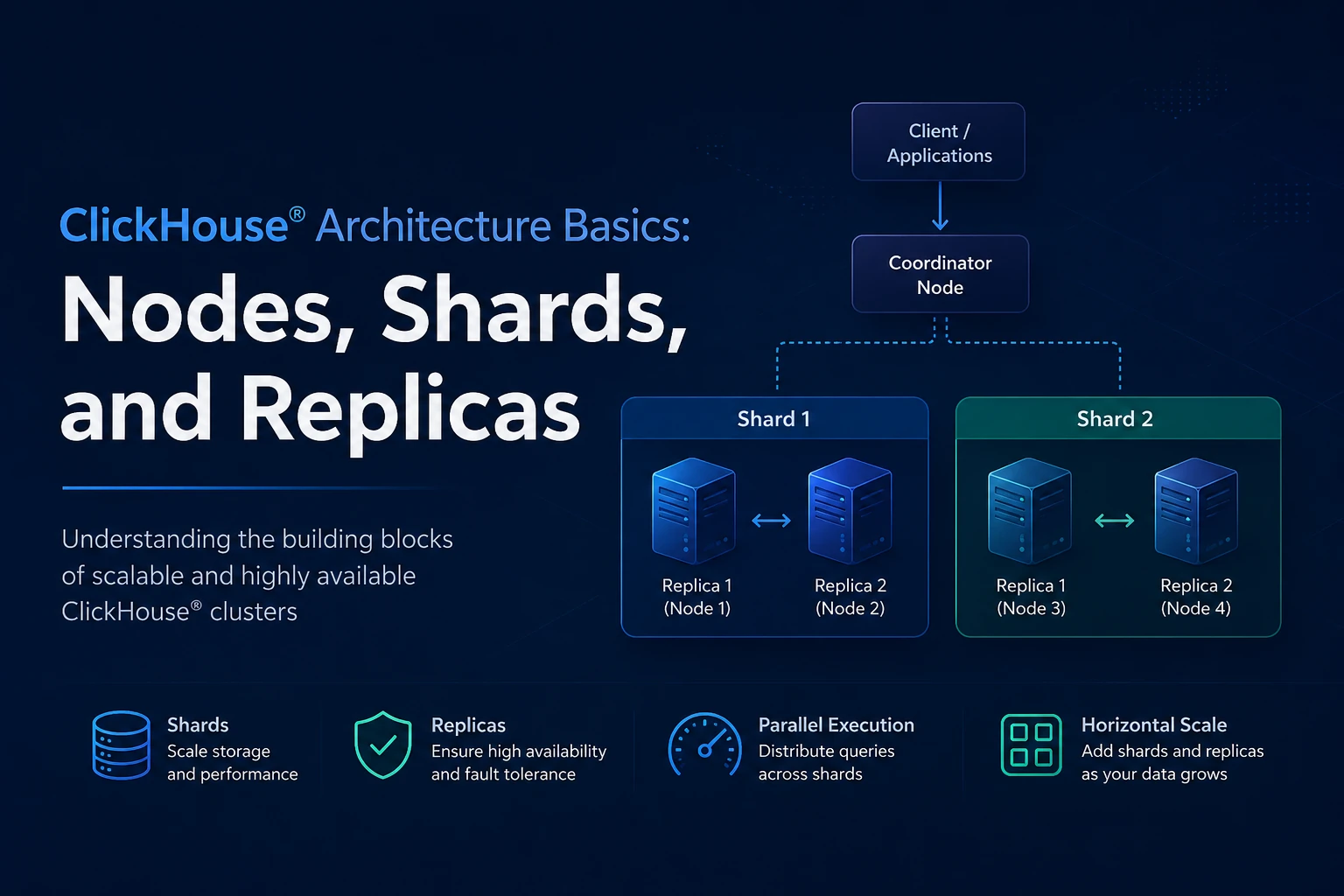
A cluster consists of:
- Shards
- Replicas
- Keeper nodes
A shard stores a subset of data.
A replica stores a copy of the shard's data.
For example:
Shard 1
├── Replica A
└── Replica B

Shard 2
├── Replica A
└── Replica B
In this architecture:
- Sharding provides horizontal scaling.
- Replication provides high availability.
- Keeper coordinates replication metadata.
A common misconception is that Keeper stores table data. It does not.
Keeper stores:
- Replica metadata
- Part metadata
- Leader election information
- Distributed DDL queue entries
- Replication state
Actual data remains on ClickHouse® servers.
Example Deployment
For this article, we'll use:
Keeper Nodes
-------------
keeper1.example.com
keeper2.example.com
keeper3.example.com

ClickHouse Nodes
----------------
ch-node1.example.com
ch-node2.example.com
Cluster topology:
1 Shard
2 Replicas
3 Keeper Nodes
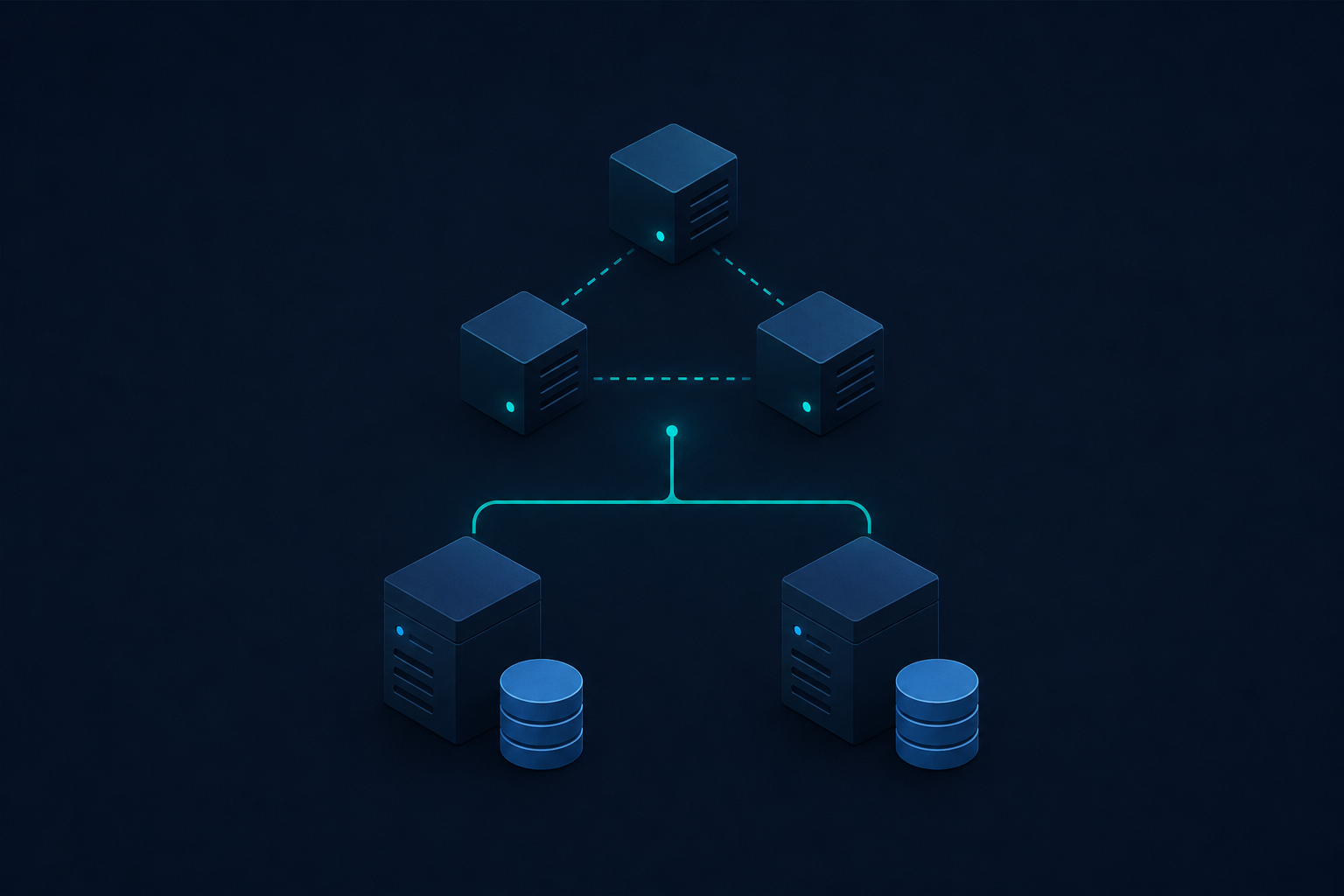
Architecture:
                +-------------+
                |  Keeper 1   |
                +-------------+
                       |
                +-------------+
                |  Keeper 2   |
                +-------------+
                       |
                +-------------+
                |  Keeper 3   |
                +-------------+

                       ▲
                       │
        ┌──────────────┴──────────────┐
        │                             │

+------------------+       +------------------+
|   ch-node1       |       |   ch-node2       |
|    Replica 1     |       |    Replica 2     |
+------------------+       +------------------+
Configuring ClickHouse Keeper
Each Keeper node requires a unique server ID.
Example configuration for keeper1:
<clickhouse>
    <keeper_server>
        <tcp_port>9181</tcp_port>

        <server_id>1</server_id>

        <log_storage_path>
            /var/lib/clickhouse/coordination/log
        </log_storage_path>

        <snapshot_storage_path>
            /var/lib/clickhouse/coordination/snapshots
        </snapshot_storage_path>

        <raft_configuration>
            <server>
                <id>1</id>
                <hostname>keeper1.example.com</hostname>
                <port>9234</port>
            </server>

            <server>
                <id>2</id>
                <hostname>keeper2.example.com</hostname>
                <port>9234</port>
            </server>

            <server>
                <id>3</id>
                <hostname>keeper3.example.com</hostname>
                <port>9234</port>
            </server>
        </raft_configuration>
    </keeper_server>
</clickhouse>
For keeper2:
<server_id>2</server_id>For keeper3:
<server_id>3</server_id>The remaining configuration remains identical across Keeper nodes.
Restart ClickHouse® on all Keeper servers after applying the configuration.
Configuring Keeper Connectivity
Every ClickHouse® server must know how to reach Keeper.
Create a configuration file such as:
<clickhouse>
    <zookeeper>
        <node>
            <host>keeper1.example.com</host>
            <port>9181</port>
        </node>

        <node>
            <host>keeper2.example.com</host>
            <port>9181</port>
        </node>

        <node>
            <host>keeper3.example.com</host>
            <port>9181</port>
        </node>
    </zookeeper>
</clickhouse>
Although ClickHouse Keeper is being used, the configuration section is still named <zookeeper> because Keeper implements the ZooKeeper protocol.
Defining Cluster Topology
Next, define the cluster on every ClickHouse® node.
<clickhouse>
    <remote_servers>
        <analytics_cluster>
            <shard>
                <internal_replication>true</internal_replication>

                <replica>
                    <host>ch-node1.example.com</host>
                    <port>9000</port>
                </replica>

                <replica>
                    <host>ch-node2.example.com</host>
                    <port>9000</port>
                </replica>
            </shard>
        </analytics_cluster>
    </remote_servers>
</clickhouse>
The setting:
<internal_replication>true</internal_replication>tells ClickHouse® to rely on ReplicatedMergeTree for replication instead of writing inserts to every replica.
Configuring Macros
Macros allow the same table definition to be deployed across all replicas.
On ch-node1:
<clickhouse>
    <macros>
        <shard>01</shard>
        <replica>ch-node1</replica>
    </macros>
</clickhouse>
On ch-node2:
<clickhouse>
    <macros>
        <shard>01</shard>
        <replica>ch-node2</replica>
    </macros>
</clickhouse>
These values are substituted automatically during table creation.
Verifying Cluster Discovery
Restart ClickHouse® on all nodes.
Verify cluster visibility:
SELECT
    cluster,
    shard_num,
    replica_num,
    host_name
FROM system.clusters
WHERE cluster = 'analytics_cluster';
Expected result:
analytics_cluster
├── ch-node1
└── ch-node2
If no rows are returned, the cluster configuration has not been loaded correctly.
Creating a Replicated Table
The recommended approach is to use macros and distributed DDL.
CREATE TABLE events
ON CLUSTER analytics_cluster
(
    id UInt64,
    event_time DateTime,
    user_id UInt64
)
ENGINE = ReplicatedMergeTree(
    '/clickhouse/tables/{shard}/events',
    '{replica}'
)
ORDER BY (event_time, id);
When this statement executes:
- A table is created on every node.
- Each replica receives a unique replica name.
- Metadata is registered in Keeper.
- Replication starts automatically.
How Replication Works
Suppose data is inserted into ch-node1:
INSERT INTO events VALUES
(
    1,
    now(),
    1001
);
The sequence is:
- Data is written locally.
- Metadata about the new part is recorded in Keeper.
- Other replicas detect the new part.
- Missing parts are fetched.
- Replicas become consistent.
Replication is asynchronous but designed for high throughput.
Monitoring Replication
Replica health can be inspected through:
SELECT
    database,
    table,
    is_leader,
    is_readonly,
    queue_size,
    absolute_delay
FROM system.replicas;
Important fields:
| Column | Description |
|---|---|
| is_leader | Indicates replica leadership |
| is_readonly | Replica cannot write |
| queue_size | Pending replication tasks |
| absolute_delay | Replication lag |
Healthy replicas typically have:
is_readonly = 0
queue_size = 0
Inspecting Replication Tasks
To investigate replication delays:
SELECT
    database,
    table,
    type,
    create_time
FROM system.replication_queue;
This table exposes pending replication operations.
Common task types include:
- GET_PART
- MERGE_PARTS
- ATTACH_PART
A continuously growing queue often indicates resource constraints or network issues.
Creating a Distributed Table
ReplicatedMergeTree handles replication.
Distributed handles query routing.
Create a distributed table:
CREATE TABLE events_dist
ON CLUSTER analytics_cluster
AS events
ENGINE = Distributed(
    'analytics_cluster',
    currentDatabase(),
    'events',
    cityHash64(user_id)
);
Queries against this table are routed across cluster members.
Example:
SELECT count()
FROM events_dist;
Distributed DDL
One of Keeper's responsibilities is coordinating distributed DDL operations.
Without distributed DDL:
CREATE TABLE ...must be executed on every server.
With:
CREATE TABLE test
ON CLUSTER analytics_cluster
(
    id UInt64
)
ENGINE = MergeTree
ORDER BY id;
the command is stored in Keeper and executed on all cluster nodes.
The same mechanism works for:
- CREATE
- ALTER
- DROP
- RENAME
operations.
Monitoring Keeper Connectivity
Verify connectivity:
SELECT *
FROM system.zookeeper
LIMIT 10
SETTINGS allow_unrestricted_reads_from_keeper = 'true'
;
Successful results confirm communication between ClickHouse® and Keeper.
Keeper-related issues are often visible through:
SELECT
    database,
    table,
    is_readonly
FROM system.replicas;
If Keeper becomes unavailable, replicas may transition into a read-only state.
Common Failure Scenarios
Keeper Quorum Loss
If a majority of Keeper nodes become unavailable:
3-node quorum
2 nodes unavailable
Keeper cannot elect a leader.
Replication operations stop until quorum is restored.
Replica Lag
Symptoms:
queue_size increasing
absolute_delay increasing
Typical causes:
- Slow disks
- Network bottlenecks
- Excessive background merges
Misconfigured Replica Names
Each replica must have a unique replica identifier.
Using the same replica name on multiple servers can prevent replication from functioning correctly.
Macros eliminate this risk.
Production Recommendations
For production environments:
- Use a minimum of three Keeper nodes.
- Use macros for all replicated tables.
- Use ON CLUSTER for schema management.
- Monitor system.replicas continuously.
- Monitor system.replication_queue continuously.
- Separate Keeper storage from heavily loaded data volumes.
- Test node failure and recovery procedures before production rollout.
- Document shard and replica topology.
Exploring ClickHouse® for Your Analytics?
At Quantrail Data, we help teams run ClickHouse® reliably for real-time analytics – from Kubernetes deployments and migrations to performance tuning in production.
We see these challenges firsthand while supporting demanding analytics workloads. In one recent engagement, a customer achieved near bare-metal performance with ClickHouse® in production – a story we’ve shared here:
Success Story: Quantrail Bare-Metal ClickHouse® Deployment
If you’re evaluating ClickHouse® or trying to get more out of an existing setup, we’re happy to share practical lessons from real-world deployments.
Contact
Conclusion
Building a reliable ClickHouse® cluster requires more than enabling replication. A production-ready deployment combines:
- Keeper quorum for coordination
- ReplicatedMergeTree for replication
- Distributed tables for cluster-wide querying
- Distributed DDL for schema consistency
ClickHouse Keeper simplifies cluster operations by providing ZooKeeper-compatible coordination directly within ClickHouse®. When combined with proper shard, replica, and monitoring strategies, it provides the foundation for a highly available analytical database platform.